Transferring designs onto sublimation blanks is the core of sublimation printing. The process uses heat and pressure to turn sublimation ink into gas, which then bonds with the polyester fibers or coating on the blank. When done correctly, the result is a vibrant, durable, and professional-quality print.
Step-by-Step Guide
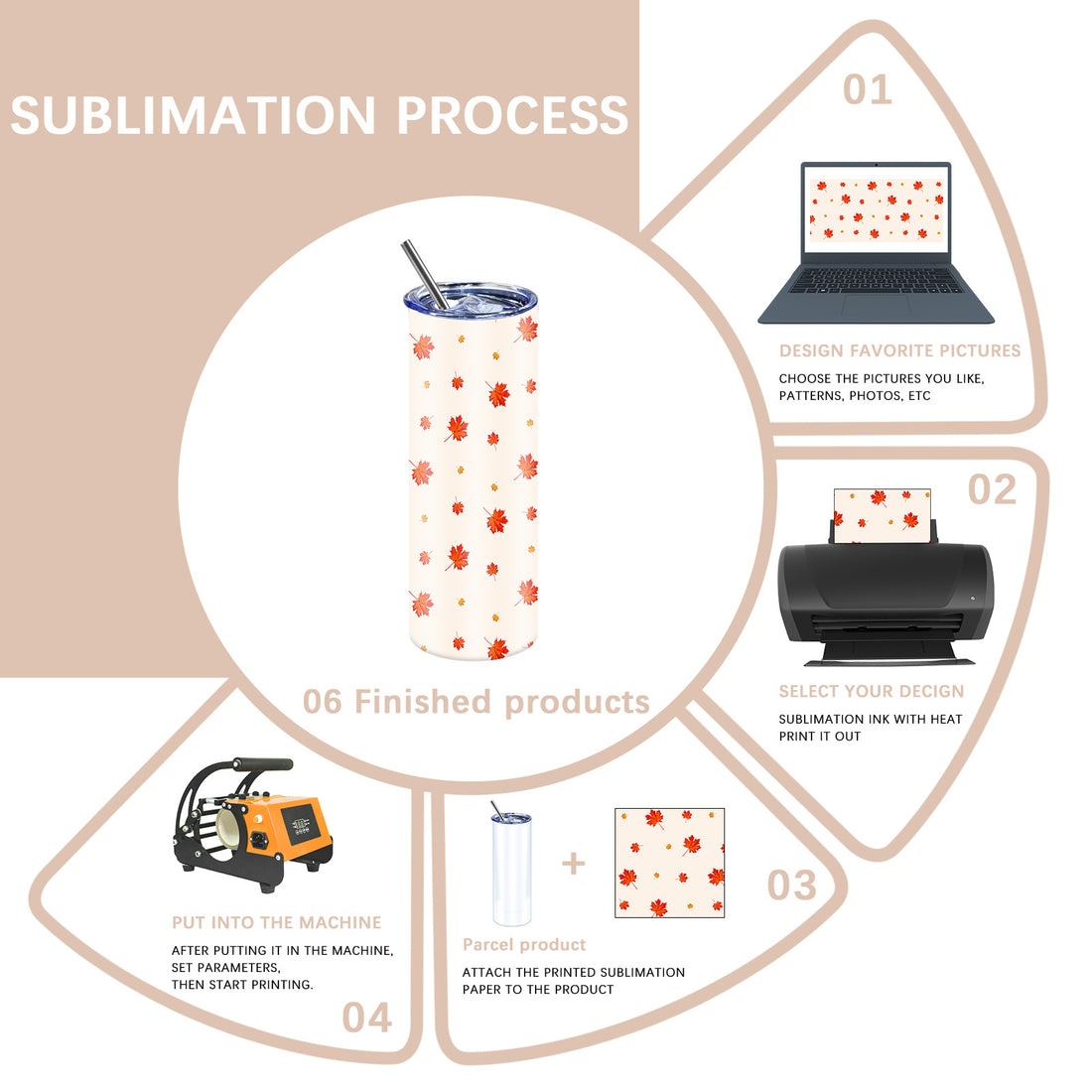
1. Prepare the Design
Create your design using graphic design software.
Set resolution to 300 DPI or higher for clear results.
Remember to mirror (flip) the design before printing.
2. Print the Design
Use a sublimation printer with sublimation ink.
Print on sublimation transfer paper, which holds and releases the ink effectively.
3. Position the Transfer Paper
Place the printed transfer paper face-down on the sublimation blank.
Secure it with heat-resistant tape to prevent shifting during pressing.
4. Heat Press the Design
Use a heat press machine (or specialized equipment for mugs, hats, or bottles).
General settings: 375–400°F (190–205°C), 45–60 seconds for fabrics, longer for hard surfaces.
Apply medium to firm pressure.
5. Remove the Transfer Paper
After pressing, carefully peel away the transfer paper.
Allow the product to cool before handling.
6. Finished Product
The design is now permanently infused into the sublimation blank.
The result is bright, long-lasting, and resistant to fading, peeling, or cracking.
Common Concerns Answered
“Can I use regular paper instead of sublimation paper?”
→ No. Only sublimation paper is designed to hold and release the ink properly.
“Do I need a special coating on hard products like mugs or metal?”
→ Yes. Hard surfaces must have a polyester or polymer coating to bond with sublimation ink.
“What if the design looks dull after transfer?”
→ Check that you used the right temperature, time, and pressure. Also ensure the blank has sufficient polyester content or coating.

請先 登入 以發表留言。